One recording. Guides, videos, help centers, and live walkthroughs.
stpwise turns a single screen recording into interactive demos, step-by-step guides, walkthrough videos, and a branded help center — as polished as a demo, but built to be your documentation.
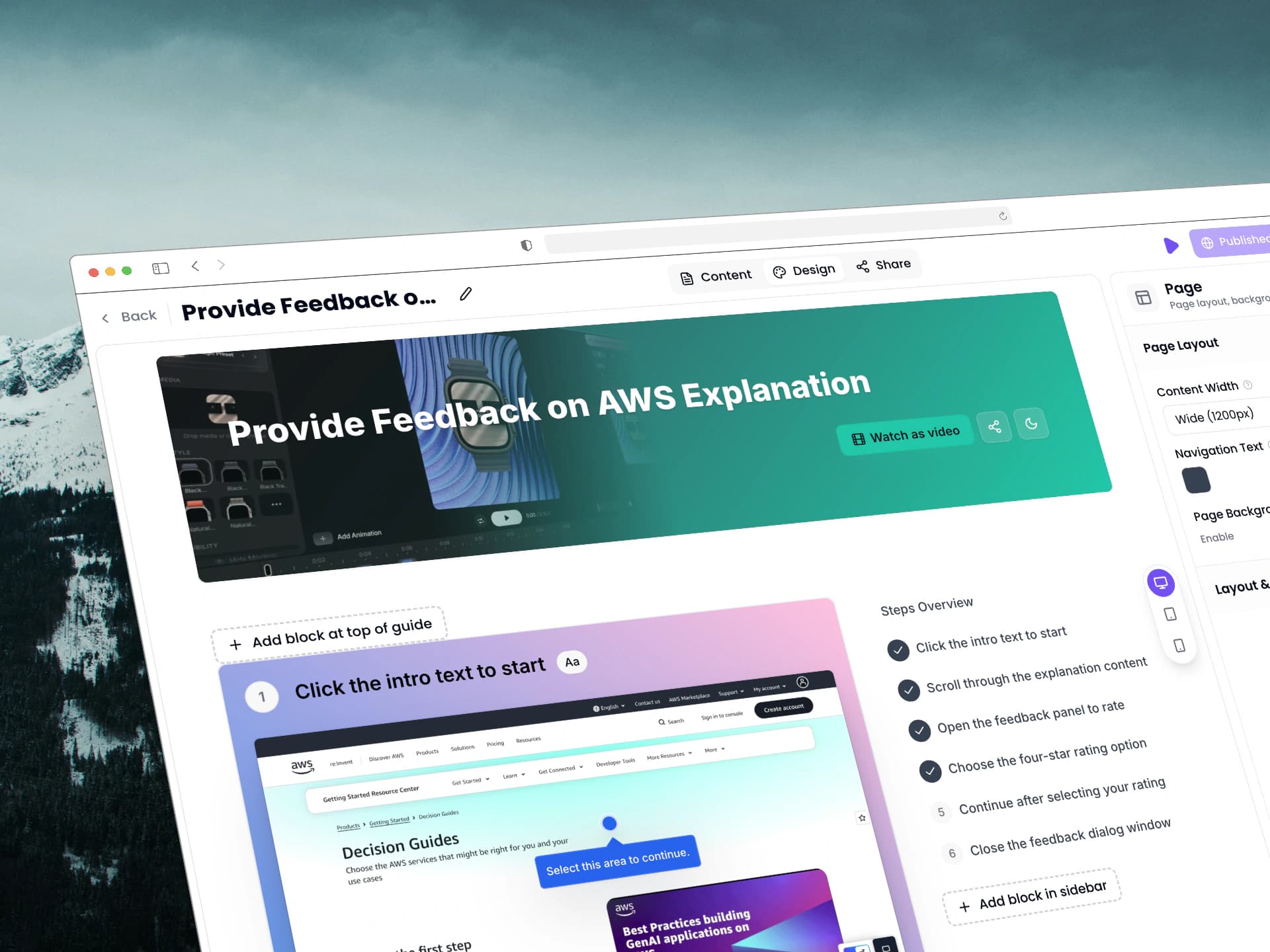
From walkthrough video to published guide.
Capture the source, let AI draft the structure, refine the steps, and share the result with the right access.
Capture the real workflow
Record your screen, upload a video, reuse a library asset, resume a session, or start manually.
Turn it into editable steps
Use AI-detected moments, clicks, and timing to draft steps with titles, notes, frames, clips, and video.
Review and annotate what matters
Adjust generated snippets, add callouts, blur, highlights, and focus cues before publishing.
Publish where people need help
Share as a guide link, walkthrough video, branded help center, email, QR code, or live in-app walkthrough.
One walkthrough. A guide anyone can follow.
Use AI to turn one recording into an editable step-by-step guide with titles, captions, and voiceover — ready to publish, embed, or share as a narrated video.
Review generated steps, snippets, captions, and media before publishing.
Use one source recording
Upload a walkthrough, screen record with microphone, use library video, or reopen a saved session.
Clicks become structure
Use click, context-menu, navigation, scroll, and timing events to find important moments.
Generate guide steps
Create editable frames or clips with generated titles, notes, and reusable source media.
Share it as a video
Let anyone watch the finished guide as a narrated walkthrough video with captions and click zooms.
Set output language
Analyze the recording language and publish the guide output in the language you need.
Continue later
Reopen a saved analysis session and keep refining the guide whenever you're ready.
Publish beyond a static document.
Share the same knowledge as a guide, walkthrough video, help center, or live in-app walkthrough.
Guides
Readable steps with media, annotations, and visibility controls.
Help centers
Branded hubs for customers, teams, onboarding, or support.
Help Mode
Launch live in-app walkthroughs where users already work.
Everything around the guide.
Workspaces, media, branding, translation, visibility, and analytics in one place.
Workspaces and members
Invite teammates and manage creation, editing, and publishing.
Media library
Reuse uploaded assets across guides.
Brand kit
Apply logo, colors, typography, and public branding.
Translation workflows
Prepare guides and portals for multiple audiences.
Visibility controls
Keep work private until it is ready to publish.
Portal analytics
See which guides and collections people view.
Build documentation that keeps up with product change.
Use stpwise for product onboarding, support deflection, SOPs, implementation, releases, QA handoffs, and repeatable internal workflows.